

How to Create Service Pages That Rank on Google and Generate Leads
Your service pages are some of the most important pages on your business website.
They explain what you do, help potential customers decide whether your business is a good fit, and give search engines important information about the services you want to be found for.
But simply creating a page with a service name and a few paragraphs isn’t enough.
Effective SEO service pages need to balance two goals: helping search engines understand the page while giving real people enough useful information to take the next step.
Here’s how to build service pages that support search visibility without losing sight of the people you ultimately want to turn into customers.
What Is a Service Page?
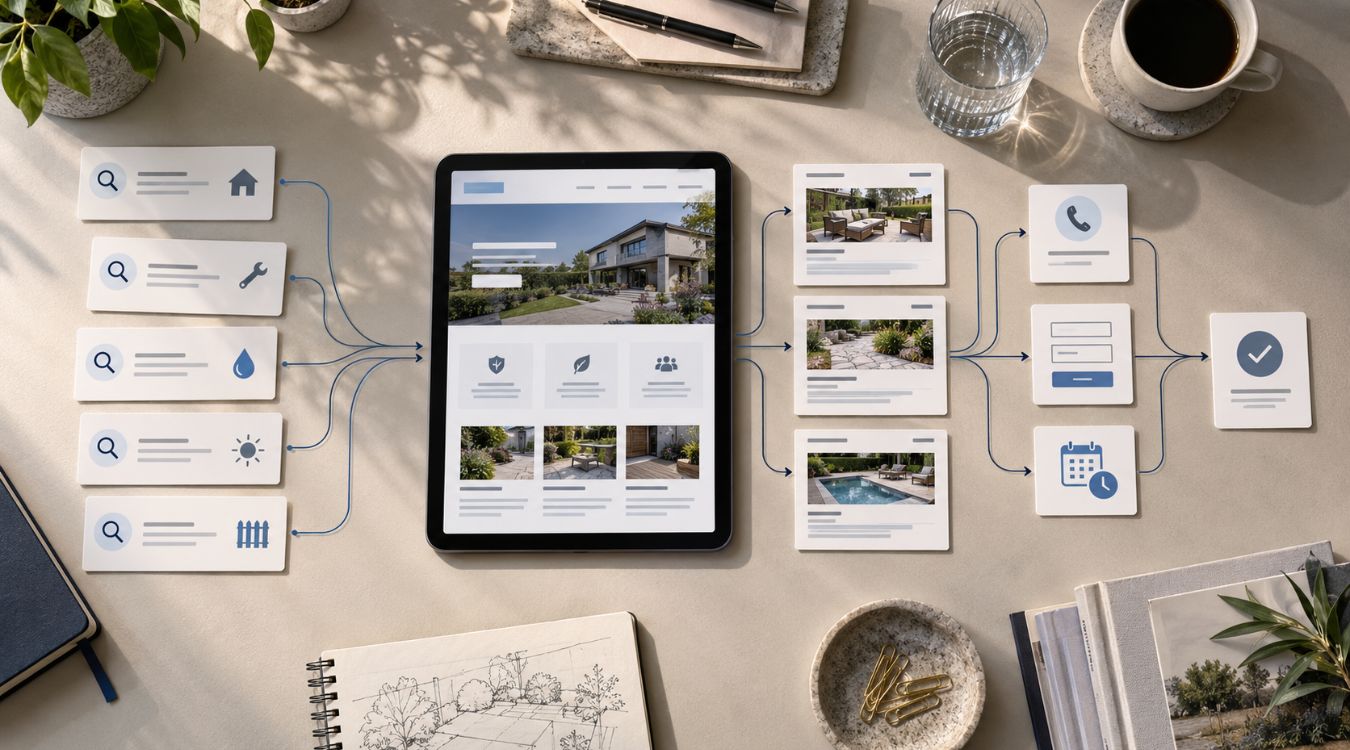
A service page is a page on your website dedicated to explaining a specific service your business provides.
For example, a digital marketing company might have separate pages for website design, SEO, PPC management, website maintenance, and other services rather than putting everything on one general Services page.
This gives each important service room to be explained properly.
It also creates pages that can target more specific search intent. Someone searching for website design is looking for something different from someone searching for SEO services, even if the same company provides both.
Why Are Service Pages Important for SEO?
Search engines need to understand what each page is about before they can determine when it may be relevant to a search.
A dedicated service page gives you an opportunity to clearly explain a particular offering, the problems it addresses, who it is for, and how customers can get started.
Google recommends creating helpful, reliable, people-first content and using the words people would naturally use to find that content in prominent areas such as page titles, headings, link text, and other descriptive locations.
That doesn’t mean repeating a keyword in every paragraph. Instead, the page should thoroughly cover the service in natural language.
One Important Service Usually Deserves Its Own Page
A common website mistake is trying to describe every service on one page.
Imagine a company provides website design, SEO, PPC, hosting, and website maintenance. If all five services are summarized on a single page, there may not be enough information about any one of them to properly answer a potential customer’s questions.
Separate service pages allow you to go deeper.
A website design page can discuss the design process, mobile responsiveness, functionality, content, and what clients can expect. An SEO page can focus on search visibility, on-page optimization, technical SEO, content, and local search.
Each page then has a clearer purpose for both visitors and search engines.
Start With the Search Intent Behind the Service
Before writing the page, think about what someone searching for that service actually wants to know.
Someone searching for a professional service may want to know what the service includes, whether you work with businesses like theirs, what your process looks like, how long it takes, what problems you solve, and what they should do next.
Your service page should answer those questions rather than simply describing how great your company is.
This shift—from writing about the business to writing around the customer’s needs—can make the page more useful and persuasive.
Choose a Clear Primary Keyword
Each service page should have a clear primary topic.
If the page is about WordPress website design, for example, the main keyword might relate specifically to WordPress website design rather than a broad phrase such as “digital marketing.”
The keyword should accurately reflect the service being offered and the type of search that could reasonably bring a potential customer to the page.
You can then naturally use closely related phrases throughout the content.
Avoid forcing the exact keyword into every section. Search optimization should improve clarity, not make the copy sound repetitive or unnatural.
Write a Clear Page Title and Main Heading
Your title and main heading should make the purpose of the page immediately clear.
A vague heading such as “Solutions That Move You Forward” may sound polished, but it doesn’t immediately tell visitors—or search engines—what service the page actually covers.
You can still use creative messaging, but pair it with clear language.
For example, “Professional Website Design for Small Businesses” communicates the service immediately while leaving room for supporting copy that expresses the brand’s personality.
Explain the Service Before Trying to Sell It
Visitors shouldn’t have to scroll through several promotional sections before understanding what you actually provide.
Near the top of the page, clearly explain the service, who it is designed for, and the main problem it helps address.
Keep this section easy to understand.
Industry terminology can be useful when your audience knows it, but excessive jargon can make a service feel more complicated than it needs to be.
The goal is to help a potential customer quickly think, “Yes, this is what I’m looking for.”
Answer the Questions Customers Ask Before Contacting You
One of the easiest ways to make a service page more useful is to think about the questions your team repeatedly receives from prospects.
What does the service include? How does the process work? How long might it take? Who is it best suited for? What information does the client need to provide?
Answering relevant questions directly on the page can reduce uncertainty and help visitors make a more informed decision.
It also creates naturally useful content instead of adding paragraphs simply to make the page longer.
Show the Benefits Without Relying on Generic Claims
Statements such as “high-quality service,” “industry-leading solutions,” and “we care about our customers” are common across business websites.
The problem is that they don’t tell visitors very much.
Whenever possible, connect your service to a practical outcome.
Instead of saying your website design service delivers “amazing websites,” explain that the site is designed to work across mobile devices, make important information easy to find, and give visitors clear paths to contact the business.
Specific information tends to be more useful than broad promotional language.
Use a Logical Page Structure
Most visitors don’t read a service page from beginning to end. They scan.
Clear headings make that easier.
Your page might move naturally from an introduction into the problem, the service, key benefits, process, frequently asked questions, and next step.
You don’t need to follow the exact same structure on every service page. The important thing is that the information appears in a logical order and visitors can quickly find what matters to them.
Add Internal Links to Related Content
Internal links can help visitors continue exploring relevant information instead of reaching the end of a page with nowhere useful to go.
They can also help search engines discover pages and understand relationships between content on your website.
For example, a service page discussing website maintenance could link to our guide on how often you should update your business website.
An SEO-focused service page could direct readers to additional articles in our Search Engine Optimization resources when they want to learn more about improving search visibility.
The key is relevance. Add internal links because they genuinely help the reader understand the topic—not simply because you want more links on the page.
Think About Where Your Traffic Is Coming From
Not every visitor will arrive at a service page through organic search.
You may also send people there through email, social media, referrals, or paid advertising.
If you’re running PPC campaigns, the connection between the advertisement and the destination page becomes particularly important. The page should closely match what the person searched for and what the advertisement promised.
Our guide to Google Ads for small businesses explains why landing pages, tracking, targeting, and website experience all play a role in turning paid traffic into meaningful leads.
A well-built service page can support both organic and paid marketing when its content aligns closely with the visitor’s intent.
Make the Next Step Obvious
After explaining the service, don’t leave visitors wondering what to do next.
Your call to action should match the service and the level of commitment someone is likely ready to make.
For some businesses, that might be “Request a Quote.” For others, it could be “Schedule a Consultation,” “Book an Appointment,” or simply “Contact Us.”
You don’t need a button after every paragraph. Instead, place calls to action naturally at points where someone may be ready to move forward.
Make Sure You Can Respond to New Leads
A service page can do an excellent job generating inquiries, but the customer experience doesn’t end when someone submits a form or calls your business.
Lead follow-up matters too.
If someone finds your service page, decides to call, and doesn’t get an answer, a slow response can weaken the experience you’ve worked to create.
That’s where tools such as Missed Call Text Back can support your lead generation system by quickly acknowledging an unanswered call and giving the potential customer another way to continue the conversation.
Your website and follow-up process should work together rather than operating as separate parts of your marketing.
Optimize Your Images Without Overloading the Page
Images can help explain your work, show examples, and make long pages easier to navigate.
But large, unnecessary image files can also slow down the experience.
Use relevant images, compress them appropriately, and write descriptive alt text where it serves an accessibility purpose.
For visual services such as website design, construction, landscaping, interior design, or other project-based work, original project images can be particularly valuable because they show visitors what the business actually does.
Don’t Forget Mobile Visitors
Your service page should be easy to use on a phone, not simply shrink to fit a smaller screen.
Check whether headings are easy to scan, buttons are easy to tap, forms are practical to complete, images display properly, and important information doesn’t become buried in an overly complicated layout.
Google’s guidance also encourages site owners to consider the overall page experience, including mobile usability, security, Core Web Vitals, and whether visitors can easily distinguish the main content on the page.
Make Sure Search Engines Can Find the Page
Even excellent service content won’t contribute much to organic visibility if search engines can’t properly access or index the page.
Important service pages should be connected to the rest of your website through crawlable internal links. They should also avoid accidental settings that prevent indexing.
Google Search Console can help website owners inspect individual URLs and see whether Google has indexed a particular page.
If you’re publishing a new service page, you can also use the URL Inspection tool to check the page and request indexing when appropriate.
Keep Service Pages Current
A service page shouldn’t be forgotten after publication.
Your offerings can change. Your process may evolve. Pricing structures, service areas, team information, examples, calls to action, and customer questions can all change over time.
Review important service pages periodically and update information when it no longer accurately reflects your business.
As we discussed in our article about updating your business website, website maintenance isn’t about changing things simply to make the site look fresh. It’s about keeping the website accurate, functional, secure, and useful.
Avoid Creating Thin Location and Service Pages
If your business serves multiple areas, you may be tempted to duplicate the same service page dozens of times and simply replace the city name.
That isn’t a strong content strategy.
When a location genuinely needs its own page, make the content useful for customers in that area. Include relevant service details, geographic context, service availability, project information, or questions that actually differ by location.
Each page should have a reason to exist beyond targeting another keyword.
Don’t Write for a Specific Word Count
There is no magic number of words that automatically makes a service page rank.
A simple service may only require a relatively concise explanation. A complex or expensive service may need significantly more information before a potential customer feels comfortable making contact.
Write enough to answer the important questions clearly.
The goal is completeness and usefulness—not reaching an arbitrary word count.
Measure What Happens After Publishing
Publishing the page isn’t the end of the process.
Over time, review how people find and use it.
Search Console can help you understand which search queries generate impressions and clicks, while your website analytics and conversion tracking can help show what visitors do after arriving.
If a page receives traffic but produces very few inquiries, the problem may not necessarily be SEO. The offer, page layout, calls to action, trust signals, or overall website experience may need attention.
If the page rarely receives search visibility, you may need to review the keyword strategy, content, internal linking, indexing, or competition around the topic.
What Should an Effective Service Page Include?
Every business is different, but a strong service page will usually communicate a few essential things:
- What the service is and who it is for.
- What problem it helps solve and what the service includes.
- Why a potential customer should feel confident contacting your business.
- Answers to important questions and a clear next step.
- Relevant internal links and supporting information.
Everything else should support those fundamentals rather than adding content for the sake of filling the page.
SEO and Conversion Should Work Together
A service page that ranks but doesn’t generate meaningful inquiries isn’t accomplishing everything it could.
Likewise, a beautifully designed service page that search engines and potential customers rarely discover has limited reach.
Strong service pages bring SEO, content, design, user experience, and conversion strategy together.
The page needs to attract the right visitor, answer the right questions, establish enough confidence, and make the next step easy.
How OrangeSky Websites Can Help
At OrangeSky Websites, we build websites with more than appearance in mind.
Our approach considers website structure, content, SEO, mobile usability, performance, and lead generation so your service pages support your broader digital marketing strategy.
Whether you’re building a new site or improving an existing one, our Website Design services can help create a stronger foundation for your online presence.
We also provide SEO services to help businesses improve search visibility and connect important pages with the audiences looking for their services.
Want to improve your website’s service pages? Contact OrangeSky Websites to discuss your website, SEO, and digital marketing goals.
Final Thoughts
Effective SEO service pages aren’t written only for search engines and they aren’t simply digital sales brochures.
They should help potential customers understand exactly what you offer, answer the questions that influence their decision, and provide a clear path toward contacting your business.
Start with search intent, organize the content clearly, provide useful information, connect the page to related resources, and make sure the technical foundation allows search engines to discover and understand it.
Then continue improving the page based on what customers ask and what your performance data tells you.
When SEO and customer experience work together, your service pages can become some of the hardest-working pages on your website.
Frequently Asked Questions
How long should an SEO service page be?
There is no ideal word count for every service page. The page should be long enough to clearly explain the service, answer important customer questions, and help visitors decide what to do next without adding unnecessary content simply to reach a particular length.
Should every service have its own page?
Important and distinct services often benefit from dedicated pages because each can address its own search intent and customer questions. Closely related minor services may sometimes make more sense together on one comprehensive page.
How many keywords should I target on a service page?
Start with one clear primary topic and naturally include closely related terms and questions where relevant. Avoid trying to force a long list of unrelated keywords onto a single page.
Do internal links help service page SEO?
Internal links help visitors discover related information and help search engines find pages and understand how content on your website connects. Use descriptive anchor text and link to pages that genuinely add value for the reader.
How often should service pages be updated?
Update a service page whenever important information changes and review key pages periodically for outdated content, broken links, old images, usability issues, or opportunities to answer new customer questions.