

If your website traffic, phone calls, or form fills looked different this month, you may already know why. A Google core update started rolling out on November 10, 2026. The Google Search Status Dashboard lists it as the November 2026 core update. The rollout finished on November 24, 2026, and Google has pre-announced a December 2026 core update with no start date yet.
The timing is messy. The rollout overlapped Thanksgiving week and Black Friday, when demand shifts for almost every kind of local business. If you are wondering whether the update hurt your site, it is usually too early to tell, and the holidays will muddy the numbers.
Here is a practical plan: what to fix this week, what to leave alone, and how to measure it honestly.
The short version
- Fix real problems now. A broken contact form, a phone number that doesn't start a call, or holiday hours that are still wrong will cost you customers whether or not an update is running.
- Don't rewrite your website in a panic. Google's own guidance warns against "quick fix" changes during or right after a core update.
- Measure it properly. Save a baseline, keep a dated list of every change you make, and wait until the update has finished plus a full week before you judge the result.
- Judge success by leads, not just clicks. More visits that never call or fill out a form are not a win.
What Google has actually said
Google describes core updates as significant, broad changes to its search systems, meant to surface more helpful and reliable results. They are not a penalty aimed at a specific site or page. Google also says that, in general, most sites don't need to worry about a core update and may not even notice one happened.
Google's restaurant analogy is useful here: new places open, and some old favorites slide down your top-20 list, even if they didn't get worse. A competitor's page may now answer the search more clearly, which is different from "Google punished my site." If you want a refresher on the parts a small business can actually control, our guide to Google ranking factors in 2026 is a good place to start.
Why this Google core update is easy to misread
Three things are moving your numbers at once:
- The rollout itself. Google has said a core update can take up to two weeks to finish, and rankings can keep shifting while it runs. A change you make mid-rollout is hard to judge against anything clean.
- The holiday calendar. If you compare this week with last month, you are comparing two different seasons of demand. Thanksgiving week is a noisy "after" period for almost everyone.
- Your own changes. If you edited pages, published new posts, or rewrote titles in the last few weeks, you now have two explanations competing for credit.
Until you can separate those three, a spike or a dip is a clue, not a conclusion.
What to do this week: a five-minute holiday check
None of this depends on the update. It's the work that quietly loses customers over a holiday weekend.
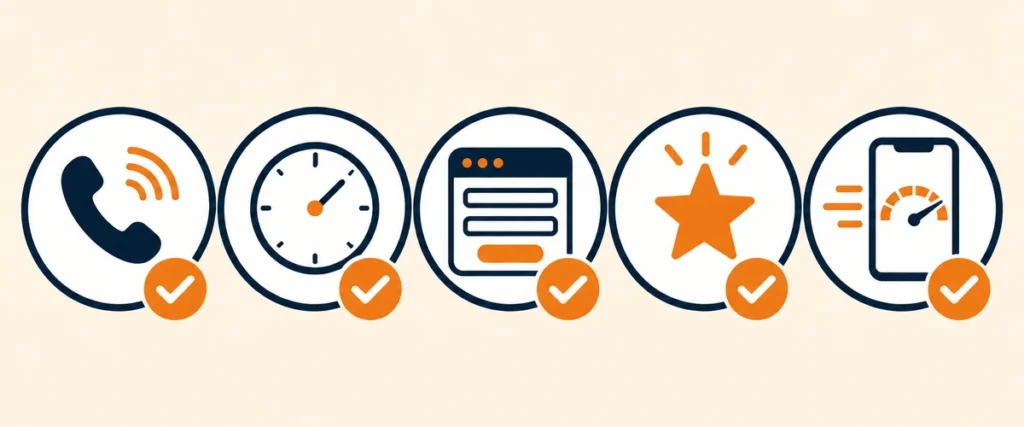
- Tap your phone number on your phone. Does it actually start a call? Test it on the contact page and in the header.
- Check your holiday hours. Update them on your website and on your Google Business Profile. Wrong hours show up in Maps and on your profile, which is an easy way to miss a visit and pick up a bad review.
- Fill out your own contact form. Use a different email address than the one you normally test with, and confirm the message reaches a real person. If you haven't looked at the page in a while, our contact page best practices walk through what to check.
- Put your best reviews next to the decision. Reviews work hardest beside your services, not buried on a separate page. Here's how to place them: customer reviews on your website.
- Load your site on mobile data. If a page takes forever to appear on a weak signal, visitors will not wait. Our website speed case study shows what usually slows a site down and how to test yours.
If phone calls from Google have dipped, look at the listing itself, not only the website. Our post on why a Google Business Profile isn't generating calls is a practical starting point. Google says local results are mainly based on relevance, distance, and prominence, which is a different set of factors than a core update to web search results.
What not to do after a Google core update
- Don't delete content because of one bad week. Google calls deleting content a last resort, and only if a page truly can't be improved.
- Don't buy a "recovery package" from anyone who promises a fix. Nobody outside Google can promise rankings, and a guarantee is a red flag. If you are vetting help, these 12 questions to ask an SEO company are worth asking before you hire anyone.
- Don't chase AI tricks. Google states that the same SEO fundamentals apply to AI Overviews and AI Mode, and that there are no extra requirements, special markup, or special files needed to appear in them. A page needs to be indexed and eligible to show with a snippet. Clear, helpful pages and an accurate business profile do more than any new gimmick.
- Don't change pages that are already working. For a small drop in position, Google recommends avoiding changes to content that is already performing well.
If rankings dropped after a Google update, skip the overnight "fix" and ask whether anything is actually broken, and whether you have a clean baseline to compare now that the rollout has ended.
How to measure a Google core update without fooling yourself
Google's recommended method is simple, and anyone with Search Console can follow it:
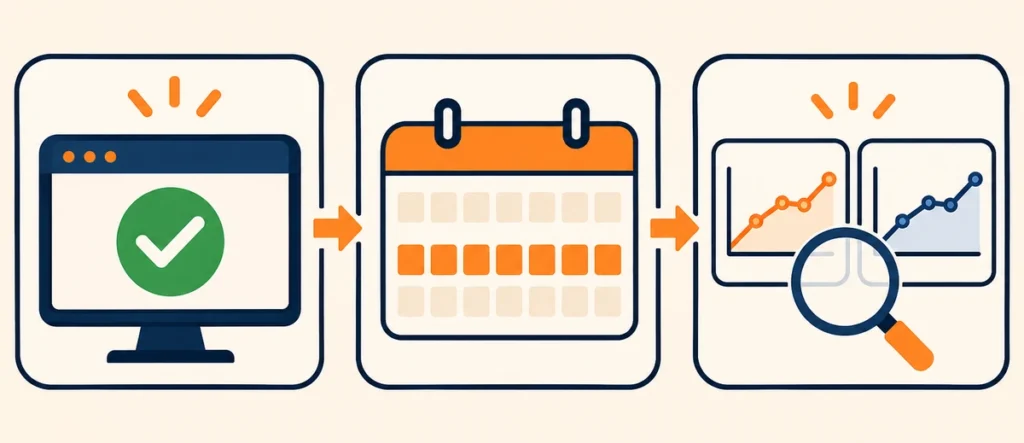
- Confirm the update has finished. The Google Search Status Dashboard lists a start date of November 10, 2026, and an end date of November 24, 2026.
- Wait at least a full week after it completes. Then compare that week with the week before the update started on November 10.
- Look at your top pages and queries, not only the sitewide average. Is the change small (say, position 2 to 4) or large (position 4 to 29)? Google says a small drop does not call for drastic action. Sitewide average position can also worsen when new pages enter the index deep in the results. That is not the same as your best pages falling.
- Look at leads, not only clicks. If you haven't set up tracking for calls and forms, start with our guide to conversion tracking for small business.
- Keep a change log. Date, page, what you changed, and why. One line each is enough. When rankings move later, you will know what you did and when.
Thanksgiving week will probably land in your first "after" window, so treat that comparison as a rough guide. If you have last year's same weeks, compare those too.
A real example from our own Search Console
We are following that method on our own site. On November 18 we saved a Search Console baseline for orangeskywebsites.com and began logging every on-site change. The baseline shows:
- From August 15 through November 18, the site had 43 clicks and 22,445 impressions.
- In the last 28 days (October 21 through November 17), that was 23 clicks and 16,840 impressions.
- In the 28 days before that (September 23 through October 20), it was 5 clicks and 2,168 impressions.
Clicks and impressions both rose. We are not going to claim the core update caused that. We also published and updated pages in mid-October, and the rollout began on November 10, so more than one thing changed in the same window. A rise like that is a reason to keep measuring, not a reason to celebrate a ranking win.
The same snapshot is a reminder not to overreact to one query. "Website design phoenix az" went from position 13.1 in the prior 28 days (48 impressions) to position 37.5 in the last 28 days (13 impressions). That later sample is too small to treat as a verdict, so it is not a reason to rebuild the page this week.
We also see our own pages competing for the same searches. Our homepage and our Phoenix web design page both appear for terms like "website design phoenix." After the update settles, we'll pick a primary page for each query and point internal links to it, rather than merge or delete pages mid-rollout.
If you did lose real ground
A large, sustained drop across your whole site, still visible a week after the update finishes, is worth a deeper look. Google suggests an honest self-assessment against its helpful-content questions: does the page show first-hand experience, does the site have a clear purpose, and does a visitor leave feeling they learned what they came for?
For a Phoenix service business, that usually looks like this:
- Service pages with real detail: what you do, where in the Valley you work, how you price or quote, and what happens after someone contacts you.
- Proof that you're a real business: genuine reviews, photos of your own work, and contact details that match everywhere they appear.
- Pages that load fast and read well on a phone. The technical SEO basics make a solid checklist.
- Local specifics only you can write, such as the neighborhoods you serve and the questions customers actually ask on the phone. Our Phoenix local SEO checklist is built around this.
Improvements can take time. Google says some changes take effect in a few days, but it can take several months for its systems to confirm that a site is consistently helpful. If you want a realistic sense of the timeline, start with how long SEO takes to show results.
Frequently asked questions
Did the core update hurt my site?
Check Search Console after the update finishes and a full week has passed. Compare your top queries and pages from that week with the week before November 10. A small shift is normal and does not call for action.
Should I update my content right now?
Fix anything that is actually broken. For everything else, hold steady for a full week after the rollout finished, then improve the pages that lost real ground, one at a time, and log each change.
Does a core update affect my Google Business Profile ranking?
A core update is a change to Google's web search ranking systems. Google says local results are mainly based on relevance, distance, and prominence, so keep your profile complete and accurate, respond to reviews, and make sure your hours are right for the holidays.
How long do Google core updates take?
Google has said a core update can take up to two weeks to roll out. This one finished on November 24, 2026. Wait at least another full week before you compare results.
Can OrangeSky guarantee my site will rank?
No. Nobody can guarantee rankings on Google or mentions in AI answers. What we commit to is a clear plan, best-practice work, and honest reporting.
Want a second set of eyes?
If you'd like help reading your numbers, we're glad to talk it through. OrangeSky Websites is a Phoenix web design company that has been building and caring for websites since 2009. Our SEO services start with a fast, clear website, and our Phoenix web design team can sit down with you in person or by phone or video.
Book a free consultation or call (602) 878-8018. Mon-Fri, 8am-5pm Arizona time.