
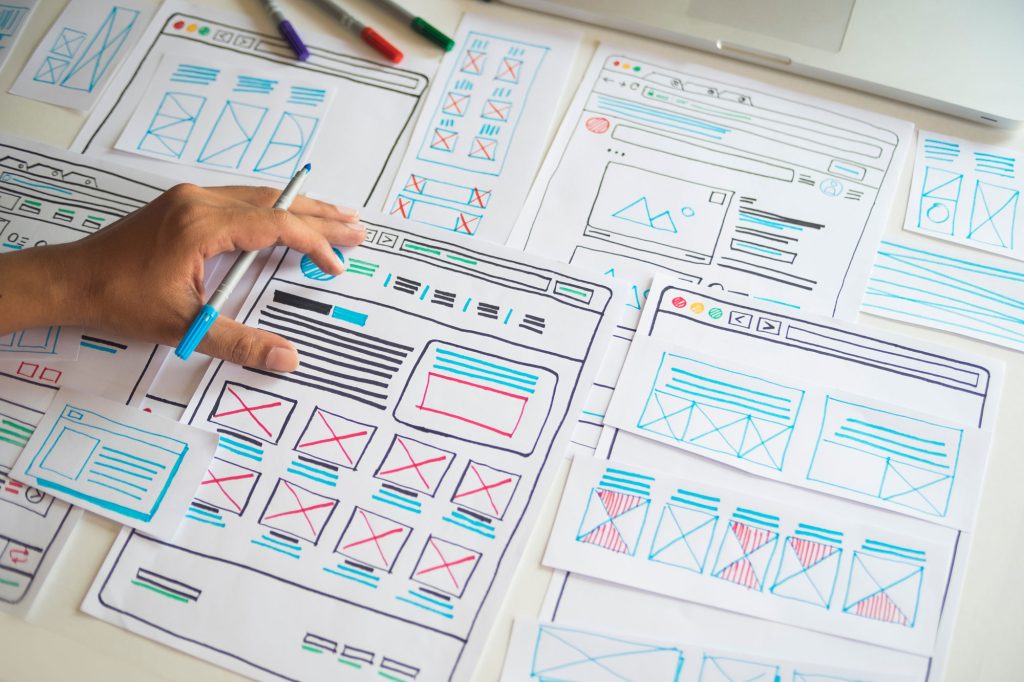
Good small business homepage design answers three questions in the first screen: what you do, who and where you serve, and what the visitor should do next. Everything below that first screen exists to build enough trust for them to take that step, and to send people who need more detail to the right page.
This guide goes section by section, from the top of the page to the footer, so you can check your own homepage against it or brief a designer on what you want.
What the Homepage Is For
Your homepage is rarely where a sale happens. It is a sorting desk. Some visitors arrive knowing your name and want your phone number. Some arrive comparing three businesses and want a reason to pick you. Some want a specific service and need to find that page fast. A homepage that serves all three is short, clear and full of good signposts. A homepage that tries to explain everything usually serves none of them.
Small Business Homepage Design, Top to Bottom
1. The header
Keep it simple: your logo on one side, a short menu, and your phone number plus one main button on the other. On phones, the phone number should be a tap-to-call link and the main button should stay visible. Five to seven menu items is plenty. Our guide to website navigation best practices covers menus in detail.
2. The first screen (above the fold)
“Above the fold” means what a visitor sees before scrolling. On a phone that space is small, so every element must earn it.
- A plain headline that names your service and, for local businesses, your area. “Air Conditioning Repair in Mesa and Chandler” beats “Comfort You Can Count On.”
- One supporting line that adds the most persuasive fact: same-day service, years in business, a guarantee, or who you specialize in helping.
- One primary call to action, such as “Call Now,” “Get a Quote” or “Book a Visit.” A second, quieter option is fine. Four competing buttons are not.
- A real image of your team, your work or your location, sized so it loads quickly and does not push the headline off a phone screen.
- A quick trust signal, such as your review rating and count, if you have one you can show honestly.
Skip rotating sliders. Visitors rarely wait for the second slide, the movement distracts from the headline, and sliders often add weight that slows the page.
3. Services overview
Right after the first screen, show your main services as short cards or a simple list: a name, one sentence, and a link to the full service page. This is where many visitors leave the homepage to find what they came for, and that is a good thing.
4. Why choose you
Give three or four specific reasons, not adjectives. “Upfront written quotes before any work starts” is a reason. “Quality service” is not. If you are unsure what to write, look at what customers praise in reviews and what they ask before hiring you. Our article on building content around customer questions explains how to find those points.
5. Proof
Add two or three real reviews with first names and, where relevant, the town or service. A few project photos with a sentence of context help too. Real proof near the middle of the page answers the quiet question “is this business trustworthy?” before visitors reach your call to action.
6. How it works
A simple three or four step outline, such as “Call or request a quote, we visit and give a written estimate, we schedule the work, we follow up,” lowers the anxiety of contacting a business for the first time. It is especially helpful when your service is unfamiliar or expensive.
7. Service area or location
For local businesses, say clearly where you work. A short list of towns, a simple map or an address with hours is enough. Link to location pages if you have them.
8. A closing call to action
By the bottom of the page, visitors who scrolled are interested. Repeat your main call to action with a short line, for example “Ready to get started? Call us or request a quote and we will respond within one business day.” Only promise response times you actually keep.
9. The footer
Include your business name, phone, address or service area, hours, links to key pages, and small social icons. The footer is where people look when they want contact details fast, so make sure they are there and correct.
Writing the Homepage Headline
The headline does more work than any other words on the site. A simple formula works for most small businesses: the service, who it is for, and where you work, followed by a supporting line with your strongest reason to choose you. Read it aloud. If a stranger would still have to guess what you sell, rewrite it. For more on writing that converts, see how professional website copy turns visitors into customers.
How Long Should a Homepage Be?
There is no ideal word count. A useful test is whether every section answers a question a first-time visitor has. For most small businesses that means the nine sections above, each kept short, with the detail living on the pages you link to. If a section exists only because a template included it, such as a stats counter with no meaningful numbers or a generic “our mission” paragraph, remove it. A shorter page with clear signposts usually serves visitors better than a long one they have to dig through.
Plan the phone version first. On a small screen, sections stack in a single column, so the order matters even more. Put the services overview and proof high enough that a visitor who scrolls twice still sees why they should contact you.
Design Details That Matter on a Homepage
- Contrast: dark text on a light background, or the reverse, with enough contrast to read outdoors on a phone.
- Font size: body text that is comfortable to read without zooming.
- White space: room around sections so each one reads as its own idea.
- Consistent buttons: one button color for your main action, used the same way everywhere.
- Image weight: compress and size photos so the first screen appears quickly. A slow homepage loses people before they read the headline.
Common Homepage Mistakes
- A vague headline such as “Welcome to Our Website” or a slogan that does not name a service.
- Too many calls to action fighting for attention in the first screen.
- Auto-playing sliders or videos that slow the page and bury the message.
- A wall of text describing every service in detail instead of linking to service pages.
- Hidden contact details, with the phone number only on the contact page.
- Stock photos of people who obviously do not work for you.
- Out-of-date content, such as last year’s promotion still sitting at the top.
Homepage Checklist
- Headline names your service and area
- One clear primary call to action in the first screen
- Tap-to-call phone number in the header on phones
- Services overview linking to individual service pages
- Specific reasons to choose you
- Real reviews and real photos
- A simple “how it works” section
- Service area, hours and contact details in the footer
- Loads quickly and reads well on a phone
If visitors land on your homepage and leave without contacting you, the issue is often one of the points above. Our guide on why visitors leave without contacting you covers the wider site. If you want a homepage built around this structure, see our website design service.