
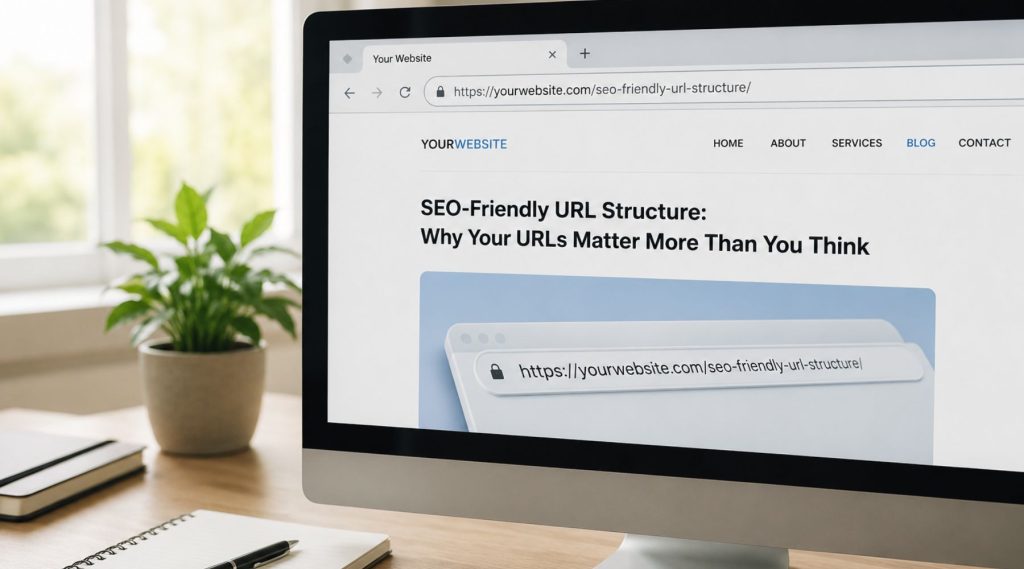
SEO-friendly URLs are short, readable addresses that use real words separated by hyphens, stay lowercase, and describe the page’s topic, like /drain-cleaning/ instead of /index.php?id=4471&cat=7. Clean URLs help Google and people understand a page before they click, and they’re easier to share and link to. Just as important: once a URL is live and indexed, don’t change it without a 301 redirect.
This post focuses on the slug itself, the part after your domain. How pages are grouped into folders and linked together is a separate topic covered in our guide to site architecture for SEO.
What Google Says About URLs
Google’s own guidance is simple: use a URL structure that’s logical and intelligible to humans, use descriptive words rather than long ID numbers, and use hyphens to separate words. URLs are a minor ranking signal at most. The bigger benefits are indirect: a readable URL shows up in search results and link previews, sets expectations, and avoids technical problems like duplicate pages created by parameters.
So treat URL hygiene as good housekeeping, not a ranking trick. Cramming keywords into a slug won’t vault a page up the results.
The Rules for Writing a Clean Slug
Use real words that match the topic
A page about kitchen remodeling should live at something like /kitchen-remodeling/. Someone glancing at the URL in a text message or a search result knows exactly what they’ll get.
Separate words with hyphens
Google treats hyphens as word separators. Underscores, spaces (which become %20), and run-together words (/kitchenremodeling/) are harder to read and less reliably parsed. Hyphens are the standard.
Keep everything lowercase
Many servers treat /Services/ and /services/ as two different URLs. Mixed case invites duplicate content and broken links when someone types the address by hand. Lowercase avoids the issue entirely.
Keep it short
There’s no magic character limit, but shorter is easier to read, remember, and share. Aim for the fewest words that clearly describe the page. /teeth-whitening/ beats /our-professional-cosmetic-teeth-whitening-services-for-patients/.
Drop stop-word clutter
Words like “a,” “the,” “and,” “of,” and “for” usually add length without meaning. WordPress will happily turn a blog title like “The 5 Best Ways to Prepare Your Pool for the Summer Season” into a slug of twelve words. Trim it to /prepare-pool-for-summer/ before you publish. Keep a stop word only when removing it changes the meaning.
Avoid dates in blog URLs
Date-based permalinks like /2026/03/14/hvac-maintenance-tips/ make evergreen content look stale and tie the URL to a publish date you might want to update later. If you refresh the article next year, the old date sits in the address forever. Post-name permalinks are cleaner.
Skip special characters
Apostrophes, accented letters, emoji, commas, and symbols get encoded into strings like %E2%80%99 that look broken when shared. Stick to letters, numbers, and hyphens.
Good vs Bad URL Examples
| Instead of | Use | Why |
|---|---|---|
| /page?id=88 | /roof-repair/ | Describes the content |
| /Our_Services/Tile_Cleaning | /services/tile-cleaning/ | Lowercase, hyphens |
| /2025/06/what-is-the-best-way-to-clean-a-dryer-vent/ | /how-to-clean-dryer-vent/ | No date, no clutter |
| /best-dentist-dentist-near-me-cheap-dentist/ | /family-dentistry/ | No keyword stuffing |
URL Parameters: When They Help and When They Hurt
Parameters are the bits after a question mark: ?color=blue&sort=newest. They’re normal for filters, search results, session tracking, and campaign tags. The trouble starts when every combination creates a crawlable URL with nearly identical content.
An online furniture store with filters for color, material, size, and finish can generate thousands of parameter URLs for the same handful of products. Google wastes crawl effort on them, and the “real” category page competes with its own copies.
Ways to keep parameters in check:
- Use a canonical tag on filtered pages pointing to the main category URL when the content is essentially the same.
- Don’t link internally to tracking-parameter URLs. UTM tags belong on external campaign links only.
- Keep the main, indexable version of each page parameter-free.
- Avoid session IDs in URLs entirely; modern sites handle sessions with cookies.
Trailing Slash Consistency
To a server, /contact-us and /contact-us/ can be two distinct URLs. Google handles this reasonably well, but inconsistency still creates small headaches: split link signals, extra redirects, and duplicate entries in reports.
Pick one format and stick to it. WordPress sites typically use trailing slashes. Then make sure:
- The non-preferred version 301-redirects to the preferred one.
- Your internal links, menus, and sitemap all use the preferred version.
- Canonical tags match the preferred version exactly.
The same logic applies to http vs https and www vs non-www. One version should be the real one; everything else redirects there.
Don’t Change Existing URLs Without 301 Redirects
This is the rule that matters most, and it’s where well-meaning cleanups go wrong. Suppose a Gilbert landscaping company notices its old pages have ugly slugs like /services-2/ and renames them to /desert-landscaping/. If nobody adds redirects, every bookmark, every link from another site, and every indexed result now leads to a 404 page. The rankings those old URLs built start to fade.
Before changing any live URL, ask whether the benefit is real. A slightly awkward slug on a page that already ranks well is usually better left alone. If you do change it:
- Set up a 301 (permanent) redirect from the old URL to the new one.
- Update internal links so they point directly to the new URL instead of passing through a redirect.
- Update the XML sitemap.
- Avoid redirect chains, where URL A goes to B, which goes to C. Point A straight to C.
- Watch the Page indexing report in Google Search Console for new 404 errors over the following weeks.
Website redesigns are the most common time URLs change in bulk. If you’re planning one, read our guide on redesigning your website while keeping your SEO intact, which covers building a full redirect map.
Frequently Asked Questions
Should I put my city name in the URL?
Only when the page is genuinely about that location, such as a dedicated service-area page like /plumber-mesa/. Don’t add city names to every URL as a ranking tactic. The page content, title, and your Google Business Profile do far more for local relevance.
How long should a URL slug be?
As short as possible while still describing the page, usually two to five words. There’s no penalty at a specific length, but long slugs get truncated in search results and are harder to share.
Is it worth fixing old URLs that have dates or ID numbers?
Sometimes. If the pages get little traffic and few links, a cleanup with proper 301s is low risk. If they rank well and bring in leads, weigh the small benefit against the temporary disruption, and do it during a planned redesign rather than piecemeal.
Clean URLs Are a Habit, Not a Project
The easiest time to get a URL right is before you hit publish. Build the habit of editing every slug, keep one consistent format, and treat existing URLs as assets that need redirects to move. If you’d like a second set of eyes on your site’s URLs, redirects, and indexing, our SEO services include a technical audit that flags duplicate URLs, broken redirects, and parameter bloat before they cost you rankings.