
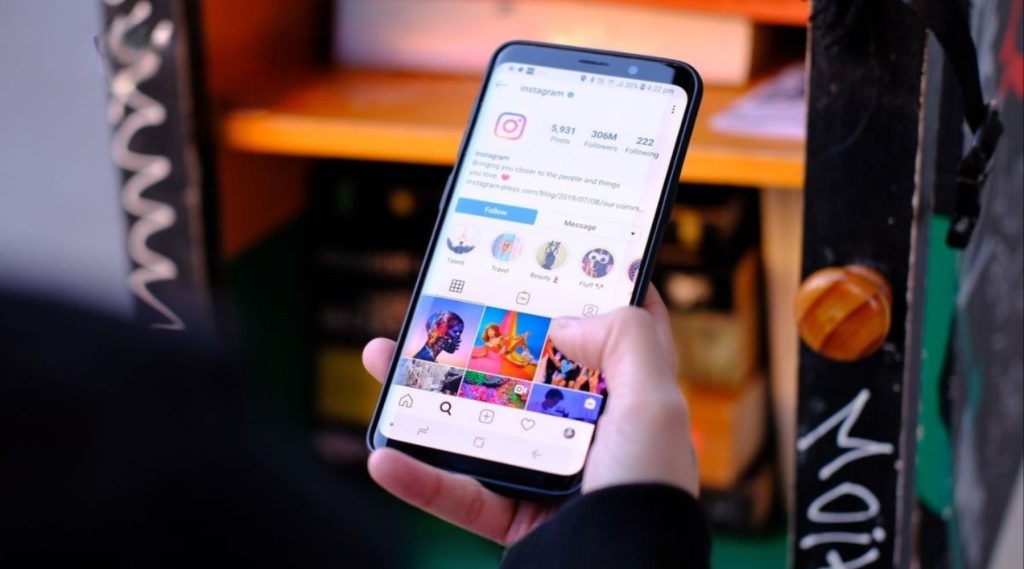
To use Instagram to grow your business, switch to a professional account, optimize your profile so Instagram search can find you (your name field, bio keywords, captions, alt text and location tags all matter), post content that shows the results customers want, and point your link in bio to a specific page on your website where people can book or buy. Instagram builds interest; your website closes the sale.
This guide covers each piece in order: account setup, Instagram SEO, content that sells services, and the link from your profile to your site.
Step 1: Set Up a Professional Account
Instagram offers professional accounts in two flavors: Business and Creator. Most companies should choose Business. A professional account gives you:
- Insights on reach, engagement and follower activity.
- Contact buttons for call, email, directions or booking, depending on what you enable.
- A category label under your name, such as “Hair Salon” or “Interior Designer.”
- The ability to run ads and connect to Meta Business Suite alongside your Facebook page.
Pick the most specific category that fits. Add your business address if customers visit you, or leave it off if you travel to them. Connect the account to your Facebook page so you can manage messages and scheduling in one place.
Step 2: Instagram SEO, or How to Get Found in Search
Instagram search has grown well beyond usernames. People search for topics, services and places, and Instagram uses text signals on your profile and posts to decide what to show. Public posts from professional accounts can also show up in Google results. Here’s what to optimize.
The name field
Your name field (separate from your @username) is searchable, and it’s one of the strongest signals for Instagram search. You can include a short keyword alongside your business name. For example: “Saguaro Smiles | Family Dentist” or “Bloom & Vine Florist.” Keep it readable and avoid stuffing it with several cities and services.
Your username
Ideally, your @username matches your business name and your handles on other platforms. Consistency helps people find you and helps search engines connect your profiles to your website.
Bio keywords
Your bio should say plainly what you do, who you serve and where. “Custom cakes and cupcakes for weddings and birthdays in Gilbert. Order online below.” beats “Life is sweet!” every time, both for people and for search.
Captions
Instagram reads captions for search relevance. Describe what the post shows using words your customers would search: “balayage on dark brown hair,” “small-space patio design,” “brake pad replacement on a pickup.” Write for a person first, but don’t be vague. Hashtags still help categorize posts; a handful of relevant ones is better than a wall of thirty.
Alt text
Instagram generates automatic alt text, but you can write your own in the advanced settings when you post. Describe the image accurately: “Finished kitchen with white shaker cabinets and quartz counters.” It improves accessibility and gives Instagram more context about your content.
Location tags
Tag your city, neighborhood or venue on posts. Location tags connect your posts to places people browse and search, which matters for any business with a local customer base.
Step 3: Content That Sells Services
Pretty photos are nice. Content that makes people want to hire you is better. Service businesses can use the same few formats over and over.
Show the transformation
Before-and-after posts are among the most persuasive content you can share: a detailed car interior, a rebuilt fence, a decluttered closet, a restored hardwood floor. Carousels work well for these, and short Reels showing the process can be even more compelling.
Answer the questions customers ask
Turn common questions into short videos or carousels. A pest control company can explain which bugs are harmless. A lash studio can explain how long extensions last. These posts build trust and get saved, which helps reach.
Introduce the people
Customers want to know who they’ll deal with. Short introductions to your team, your process or your workspace make a business feel approachable.
Share proof
Repost customer stories (with permission), share screenshots of glowing reviews, or film a quick testimonial. Social proof on Instagram backs up what people will read on your website.
Make the next step obvious
End captions with a clear prompt: “Booking for spring is open, link in bio.” “Message us ‘QUOTE’ for an estimate.” Use Stories with link stickers to send people directly to booking or offer pages.
Step 4: Your Link in Bio and the Website Behind It
Instagram limits where you can place clickable links, so the link in bio carries a lot of weight. Where it goes determines whether interest becomes revenue.
- Link to a page on your own website, not just a third-party link tool. If you want a menu of options, build that page on your site so visitors stay on your domain and you can track them.
- Match the page to Instagram visitors. They’ve seen your work, so lead with booking, quotes or the offer you’re promoting.
- Use UTM tags on the link so GA4 shows how many visitors and leads come from Instagram.
- Make it fast on mobile. Nearly all Instagram traffic is on phones.
A salon that links to a mobile-friendly booking page converts far more followers than one that links to a homepage with a slow slideshow. A mobile-first business website is what turns Instagram interest into appointments.
For the full path from post to lead, including landing pages, lead forms and retargeting, read how to use social media to attract new customers.
Does Instagram Help Your Google Rankings?
Instagram activity isn’t a direct ranking factor for your website. It can still support search by building brand recognition, encouraging branded searches and putting your profile in front of people who might link to your site. We explain the full relationship in does social media help SEO.
Frequently Asked Questions
Should I choose a Business or Creator account on Instagram?
Most companies should choose Business. It offers contact buttons, business categories and integration with Meta Business Suite and ads. Creator accounts are designed for individual personalities and influencers.
Can I add keywords to my Instagram name?
Yes. The name field is searchable, so adding a short descriptor like “Family Dentist” or “Florist” after your business name can help. Keep it short and natural; stuffing it with multiple services and cities looks spammy.
How many hashtags should I use on Instagram?
A few highly relevant hashtags usually work better than many generic ones. Focus on hashtags your customers and community actually use, and let your caption text carry most of the keyword relevance.
Make Instagram Interest Count
A well-set-up Instagram profile gets found, shows your work and builds trust. The sale happens when an interested follower lands on a page that makes booking or buying easy. If your link in bio leads to a slow or confusing site, a website redesign built for mobile visitors can turn your Instagram audience into paying customers.